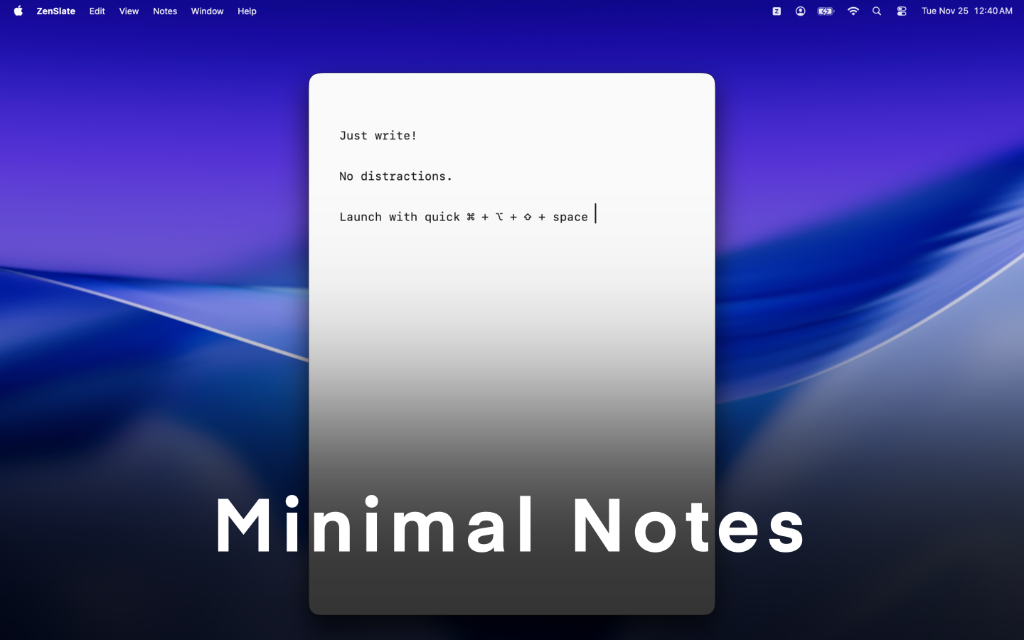
ZenSlate is a calm note space for iPhone, iPad, and Mac. Capture quick thoughts, draft ideas, manage checklists, and keep writing in sync through iCloud - with a quiet interface so your slate stays center stage.
On Mac, open instantly from the menu bar or with ⌘⌥⇧Space. On iPhone and iPad, start writing in one tap - or from a Home Screen widget.
Key Features
Live Markdown
Write with headings, lists, checklists, links, code, quotes, and tables - rendered gently inline, or switch to raw text mode.
iCloud Sync
Read and edit your slates across iPhone, iPad, and Mac. Your notes stay with your Apple ID.
Distraction Free
A focused writing canvas with nothing competing for attention - just a blank slate when you need it.
Pin & Manage
Keep important slates close. Search, duplicate, clear, or delete from a quiet command palette.
Themes & Typography
Choose the mood and reading feel that fit your writing - calm themes and adjustable type.
Widgets
Home Screen and Lock Screen widgets on iPhone and iPad - a blank slate, one tap away.
Mac Menu Bar
Keep ZenSlate within reach. Launch with a global shortcut and write without rearranging your desktop.
Privacy First
No accounts, no analytics, no developer backend. Notes sync through your iCloud when you enable it.
Mac Controls
Global & Menu Bar
- Toggle App ⌘⌥⇧Space
- Show/Hide ⌘O
- Quit ⌘Q
Note Navigation
- New Note ⌘N
- Next Note ⌘]
- Prev Note ⌘[
- Duplicate ⌘⇧N
Command Palette (⌘P)
- Navigate ↑/↓
- Select/Create Enter
- Create w/ Search ⌘Enter
- Close Esc
Text Editing
- Increase Font ⌘+
- Decrease Font ⌘-
- Clear Canvas ⌘⇧K